
Binding to a New Receiver (MT12)
-
IQ

You want to bind another receiver to your MT12? Also, do you want to run a different protocol? Although the receiver that came with your MT12 was pre-bound, adding other receivers will have to be done via bind process.
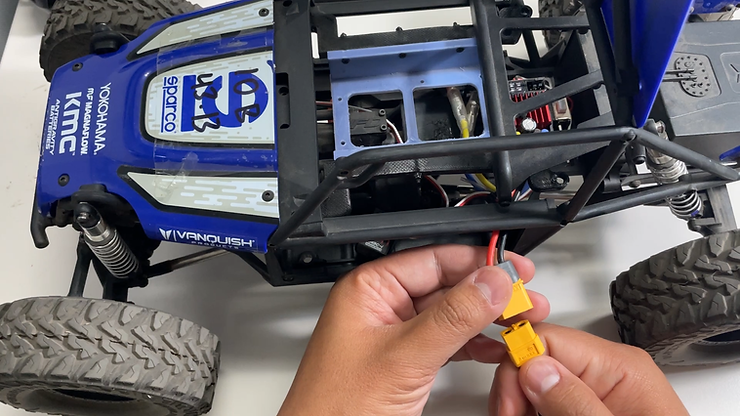
Binding ELRS receivers
After you have found out how awesome the ELRS system is, it might be time to bind another receiver to your other R/C vehicle.
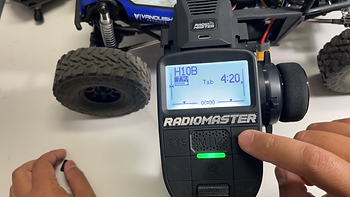
From the main screen, press the MDL (model) to enter the model screen.

You will choose the profile you want to use with your new receiver. (Note: You can bind multiple receivers to one profile and DO NOT need a separate one for each receiver)
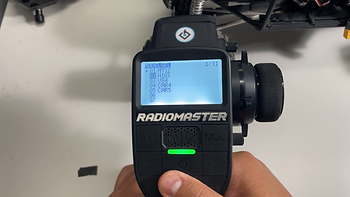
Just for this example, we will use a different profile. We scrolled down and highlighted the 2nd profile.
(Again, the astericks is showing the current profile, we are jumping into another one)
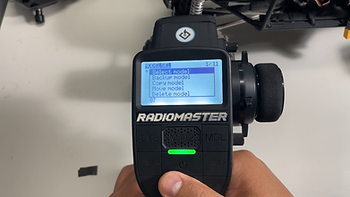
Press and hold the scroll wheel and it will pop this menu up. "Select Model" to access this profile.
Here, we can change the model name that will be shown on 1/11.
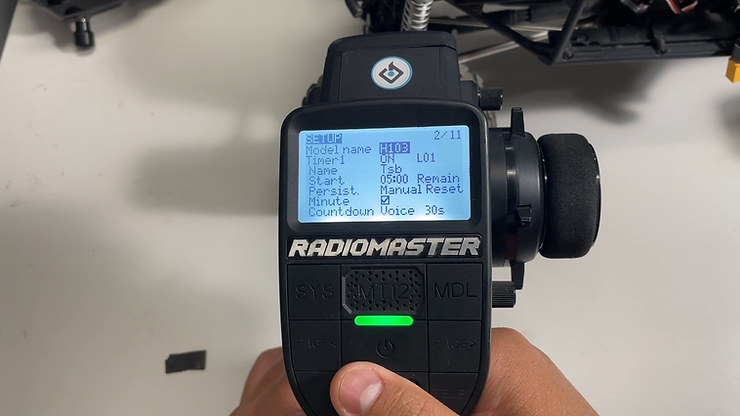
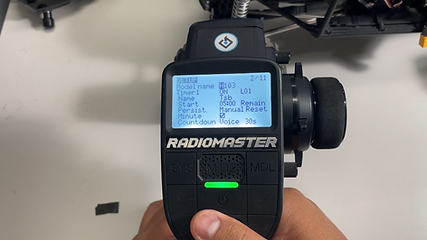
Scroll the wheel the change the character and press enter on the scroll wheel to make your selection. It will automatically go to the next section.
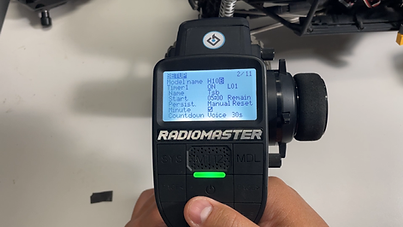
If you want to make it a capital letter, press and hold the enter button (scroll wheel) and it will change it.
Receiver Settings
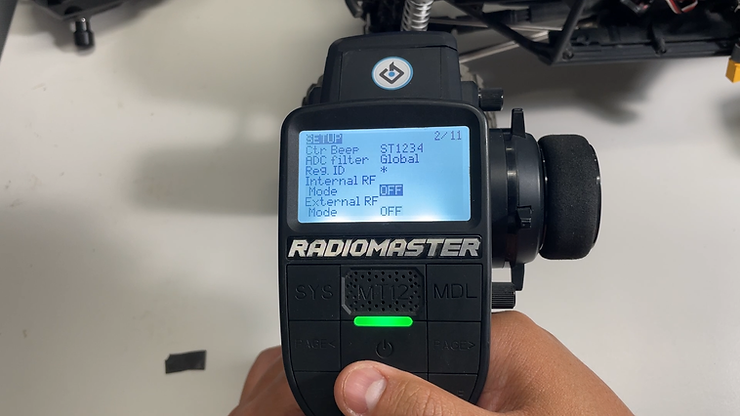
The MT12 has access to two different transmitters as the transmitters will communicate with the receiver installed on your R/C.
Internal RF is the transmitter that is built into the radio itself and because it is an ELRS version of the MT12, this must be turned on or it will not be able to communicate with the receiver.
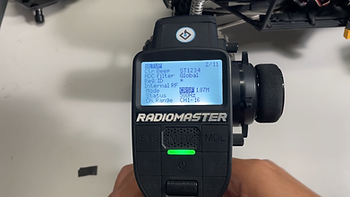
The Protocol for ELRS is CRSF. As long as it is selected on this setting, the transmitter will work as intended.
Binding
After you have turned on the Internal RF, you will now exit back out to the main screen. To do this, press and hold the RTN button on the bottom left.

Now, press the "SYS" key to enter the transmitter's settings.
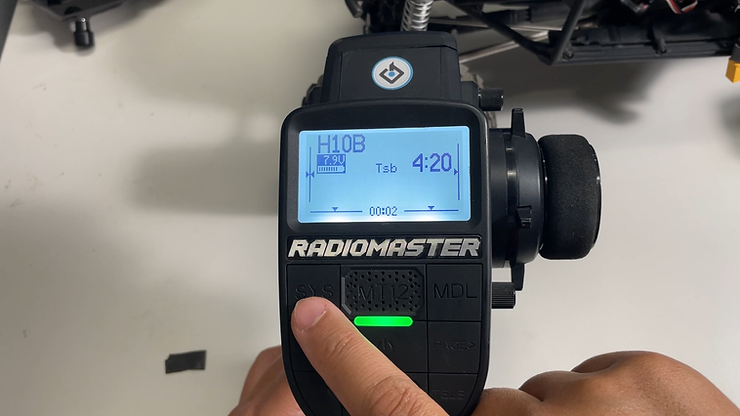
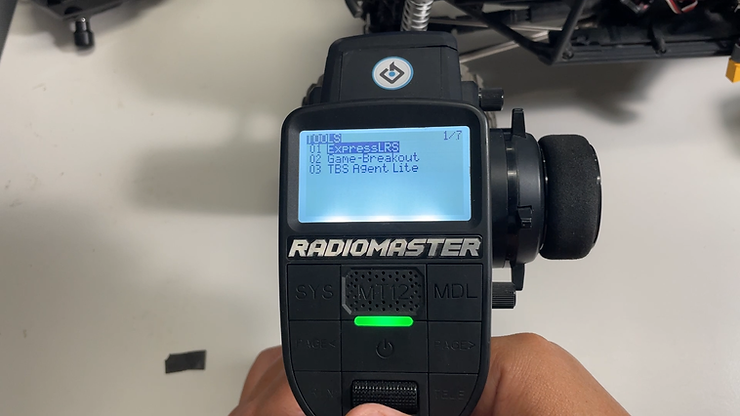
Navigate to 1/7 "Tools" page and enter "ExpressLRS"
Scroll down until you see "[Bind]" but do not press that button just yet.
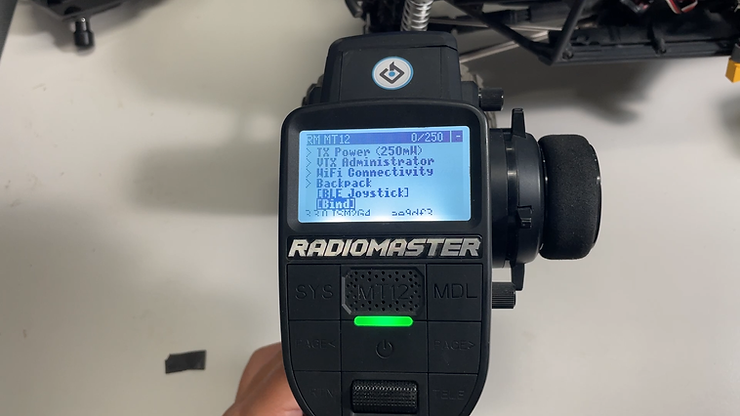
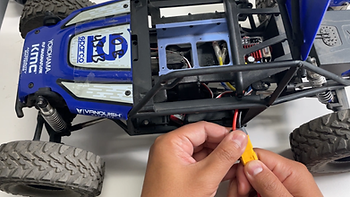
To initiate the bind mode on the receiver, you must turn it on and off 3 times. (It is micro seconds in between) This will activate bind mode on the receiver. (I usually do it about 4-5 times just to be safe) On the last plug in, leave the battery there.
Now, press bind on the transmitter and wait a few seconds.
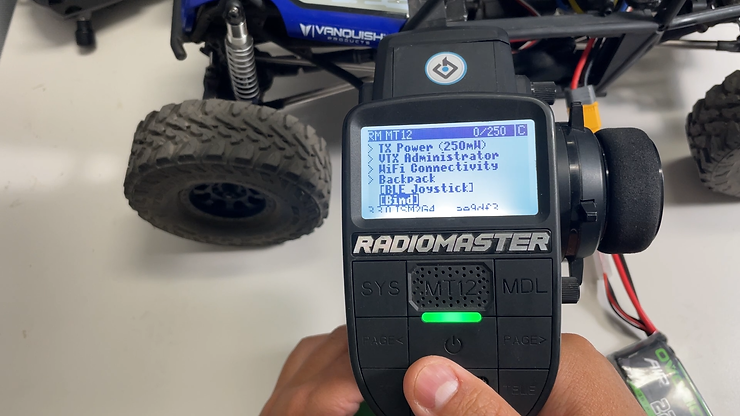
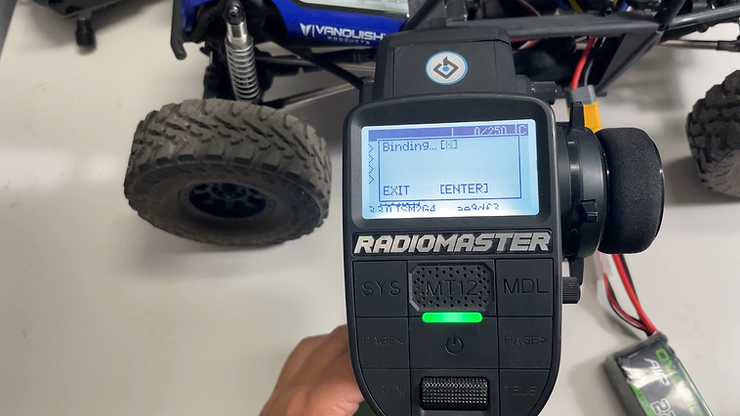
Afterwards, check the steering to see if you have movement.
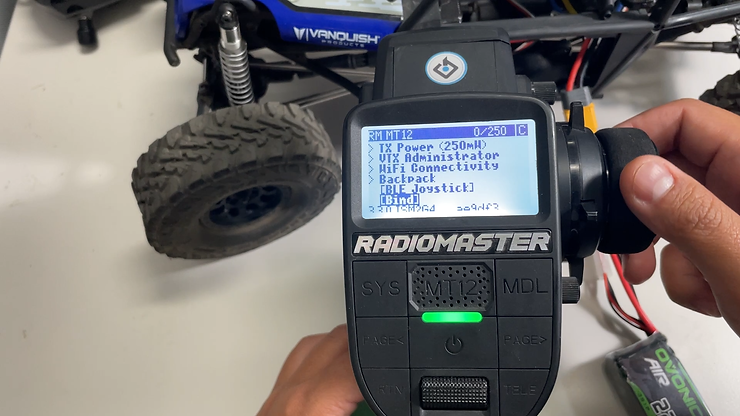
The channels are reversed!
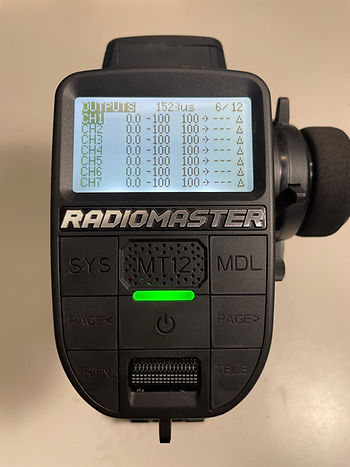
If the steering or throttle is going in reverse, you can change it in outputs.
Go back to the main screen then enter "MDL". Then page over until you get to 6/12 "Outputs".
Your throttle is CH1 and steering CH1. Highlight the correct channel by scrolling over, then press and hold. It will say "edit".
Once you enter, scroll down until you see reverse and make your change there.
Bonus: External RF
Remember how we turned on the Internal RF for the ELRS receiver? The External RF option allows to add another transmitter to run different protocols. One of the options is a Multi-Protocol Module (MPM for short) and here is the list of protocols it can use: https://www.multi-module.org/basics/supported-protocols
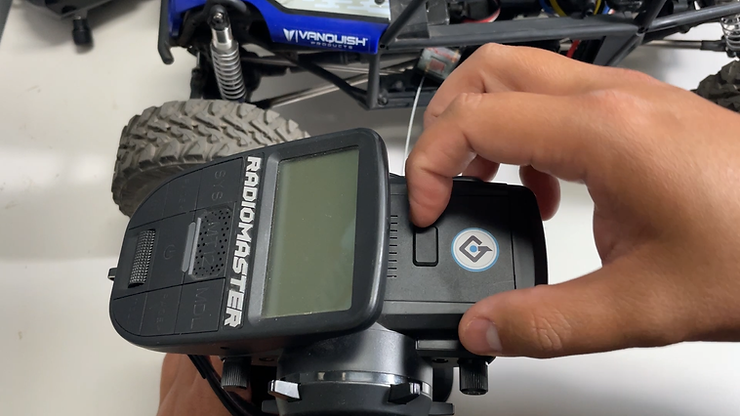
First, it is best to turn off the Internal RF when running an External to save battery power. Also, it might be good to make a different profile so it won't drive you nuts.
Here, we'll set up a DSM receiver

Using the radiomaster's MPM module as it comes with the adapter piece shown.
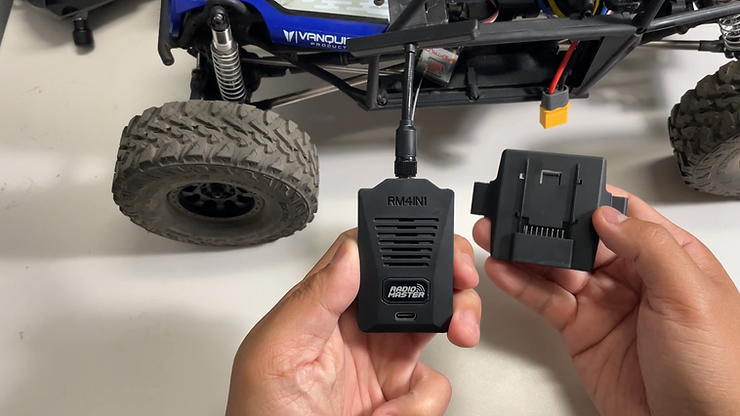
After installing the MPM to the adapter, install the transmitter with the pins holes on the MT12.
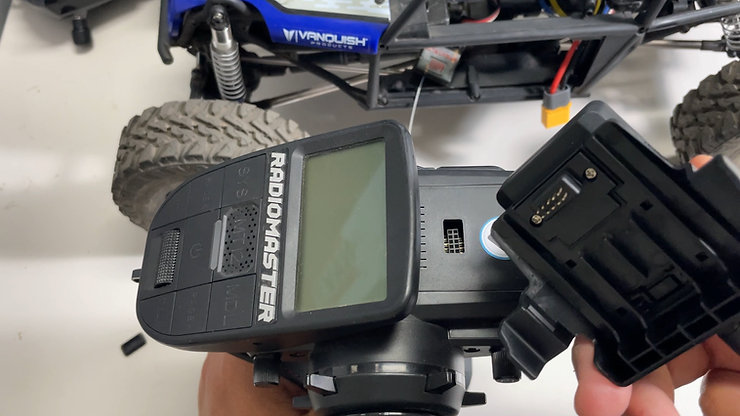
Installation complete.
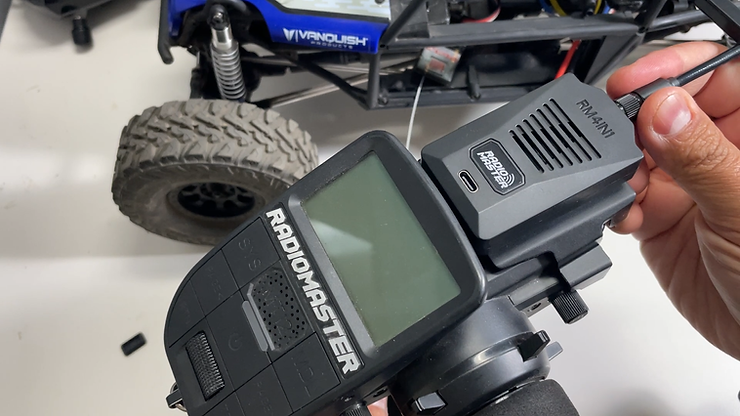
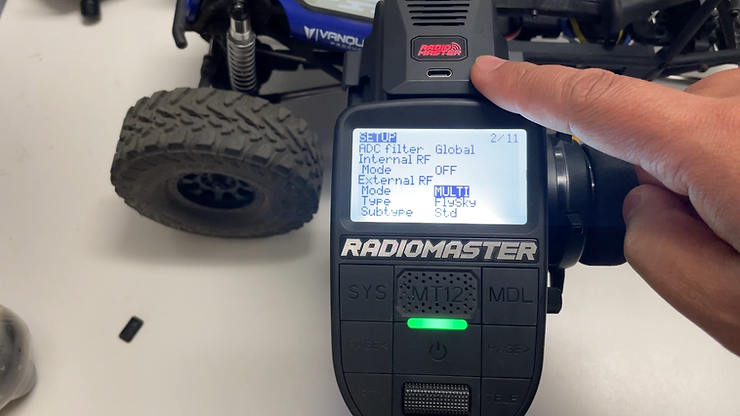
After turning off Internal RF, select External RF and select MULTI under the Mode section. If the module has been installed correctly, the transmitter will turn on. (see Red LED). Your transmitter module may not have any LED or screens that turn on or if it doesn't turn on, check the pins to see if they haven't been bent.
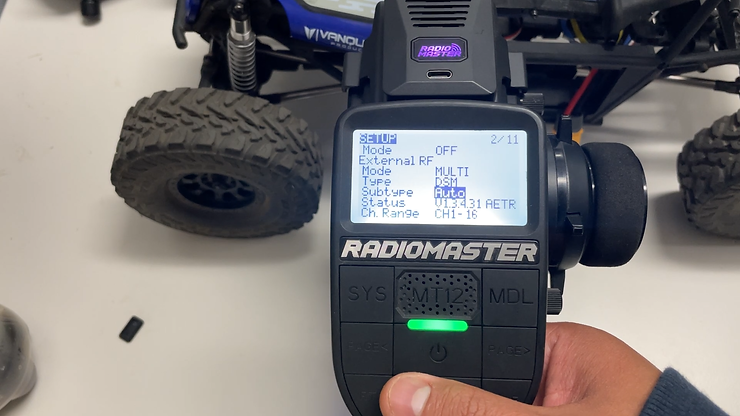
For DSM, it is best to leave it on "auto" as it will auto select to the best settings.
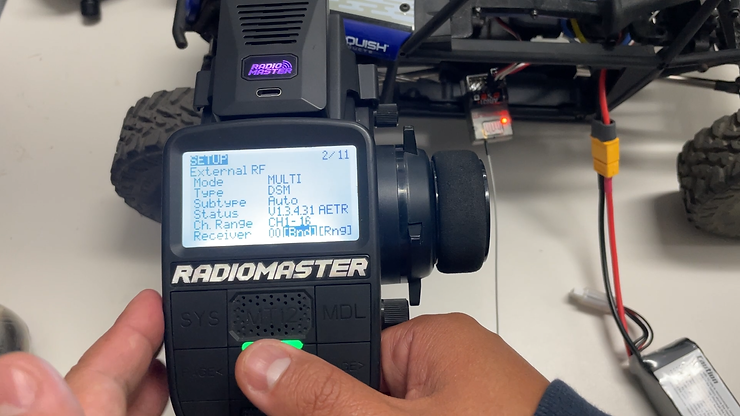
Then, initiate the bind process on the receiving (each brand/protocol has their own way of doing this, it is best to check the manual) and press bind on the MT12.
We will be consistently uploading blog posts and/or videos on our youtube channel. If you want something covered, please leave it in the comments below!
Ready to jump in? You can find it here: https://www.ironquad.com/product-page/radiomaster-mt12-elrs
