

SIM Racing for RC?
Full Installation Guide Video will be here: (Coming Soon)
SIM Racing setup for RC driving? It is the clash of two different worlds... No consequences versus potential dire consequences.
There's nothing more exhilarating than actually drive something physical. Something you can see and touch. However, there are consequences. Drive to carelessly, you may break it yet the adrenaline to push you and your RC car to the max, there is nothing like it.
Then you have the SIM Racing on a platform like iRacing, Assetto Corsa, and GT 7 to name a few. Countless hours on honing your skills, frustration of trying to break your current "best", and pressing that reset that you "hot keyed" to one of the buttons on your wheel. No consequences but still extremely fun.
We combine these two different different worlds... The engaging perspective and adding real world feel in driving your RC with a SIM setup.
Setting up RC for SIM, how hard it is?
This is the question we are here to address as we made a sweet little setup for ourselves on our test track. I believe there isn't a "set in stone" procedure on how to acquire your equipment but I highly recommend figuring out your visual system first as it will be easier to set up the rest as you go.
Here is a checklist and will explain in this order below:
(Also a price break down at the end of this article)
- Visual Setup (Camera System)
- Steering/Pedal Setup
- Steering Pedal to RC
- RC Radio (Controller) and Receiver + RC Car
- Cockpit ("May" be optional)
- Monitor (If you choose the monitor adapter kit option)
Visual Setup
This is where your first big decision must be made. We ended up going with our YoHD Micro as we only have a Micro track set up for RC racing. Also, we do have the XplorerHD but the consequences will far outweigh what we are trying to achieve as the gimbal is not as durable for racing.
FPV Goggle Setup
This would be the more "budget" friendly option as you will not need a TV nor a stand to accommodate a monitor. It will look like this:

It eliminates having a monitor or TV for visuals as the screen from the camera will be projected directly to the goggles.
Pros
- No TV/Monitor Needed (saves cost and less setup)
- Extremely Immersive Experience (It literally feels like you are sitting inside your RC)
- Easier to store away once you are finished
Cons
- Can't share your visuals when operating (others can't see your view)
- Glasses (Bad eyesight? This might be a no-go)
Monitor Setup
This will be similar to the "standard" SIM racing setup as it will use a monitor. If you already SIM race, this might be a very easy setup for you. Please note, if you use a 3 screen setup, the side screens won't work.

Pros
- If you already have a SIM racing rig set up, this will plug and play directly to your rig
- If you wear glasses or hate things in your face, this will be perfect for you
Cons
- Less immersive experience
- If you want to record, it will be annoying to track down the adapter kit to press the recording button
Whichever you choose, here are the links to both of them:
FPV (Goggle) Option
The Steering and Pedals
This is our first setup (ever) and we didn't want to splurge too much so we ended up using the Logitech G29. Periodically, there are refurbished units that come directly from Logitech.

Just be mindful that you can use non force feedback (FFB) steering/pedal setups as they might be far less expensive as our setup will not allow for this feature. We chose a FFB setup due to potential projects down the road but this is not necessary.
(What is Force Feedback "FFB"?)
FFB steering will take information from your console or PC game to simulate real life steering feedback. For example, if you run over a cone, it will try to simulate the wheel twisting left to right as you would in real life. However, our current setup does not allow FFB so its is not necessary.
Steering to RC Module
The huge hurdle in this setup is the communication between the wheel/pedal to your actual RC car. Wheel/Pedals are made for your console or PC, not for RC.

We reached out rcautoball and received a Sim2RC module so we can hook up our steering/pedal setup to our RC controller. In simple terms, it is a translator as it converts the language spoken by the wheel/pedal to the language spoken from the RC controller to the RC car.
You can also fine tune or reverse channels (more on this later) using the native software built into the unit. You don't need to download any apps, just connect to the WiFi card on the unit and access all the options there.

Please note, you may need a couple of extra things to make it work:
- USB-C cable that connects to a wall adapter (If you have a phone that uses USB-C to charge, you will use this to power on the Sim2RC module)
- 3pin 3.5mm mono/stereo jack cable. (Unfortunately the YoHD Micro's cable is 4 pin)

For the 3.5mm Jack, the sections that are divided by the black ring shows how many "pins" the wire supports. You will need to use a 3 pin jack. (The YoHD Micro jack is a 4 pin so it "may" not work as the contacts must directly touch these 3 "pins")
RC Radio (Controller) and RC Car
This will be the second hurdle as you will need to some research as picking the right RC Car is extremely important.
If you already have an RC Car and Radio Controller, check if your Radio Controller has a "trainer" option with an 3.5mm jack. If so, you can skip to the next section. If not...
Most of the RC cars on the market that are "budget" friendly uses 2in1, 3in1, electronics where it locks you out from ONLY using their radio controller. This will not work as they all their own protocols and cannot send the correct signal to control the car.

- You "can" make it work but you will spend more money buying a servo, esc, and possibly a motor along with doing some soldering to make the wires work.
- Depending on the radio controller you get, there is a module that "may" work as they run multiple protocols and might have a match. (More on this shortly)
The easier way to find the correct RC car, check if they have 2 plugs that looks like this on the inside of the car (Underneath the body/cover)

If they have at least 2 of these plugs connected to a receiver (where the end shown above is plugged into a box like device) then this RC is usable.
Next, you need a RC controller that has a trainer option along with a 3.5mm jack that is a DSC port.

If you want a recommendation, I highly suggest the Radiomaster MT12 as it has everything you need to use it as a RC controller and also for our SIM application. It comes with a receiver so you'll have everything that you will need out of the box. Check it out here: RM MT12
To be very transparent, we normally don't bring in other branded products unless it's an awesome product. The MT12 also has an external bay to add different types of transmitters so you can have more protocols. There is a 4in1 module you can purchase separately to unlock a few older protocols. Fortunately, the 4in1 module has the same protocol for the MiniZ MR04 so we directly bound the radio to the RC car without any modifications.
Cockpit Setup
We asked around to see which cockpit would fit us best and we decided on the RC F from Next Level Racing.
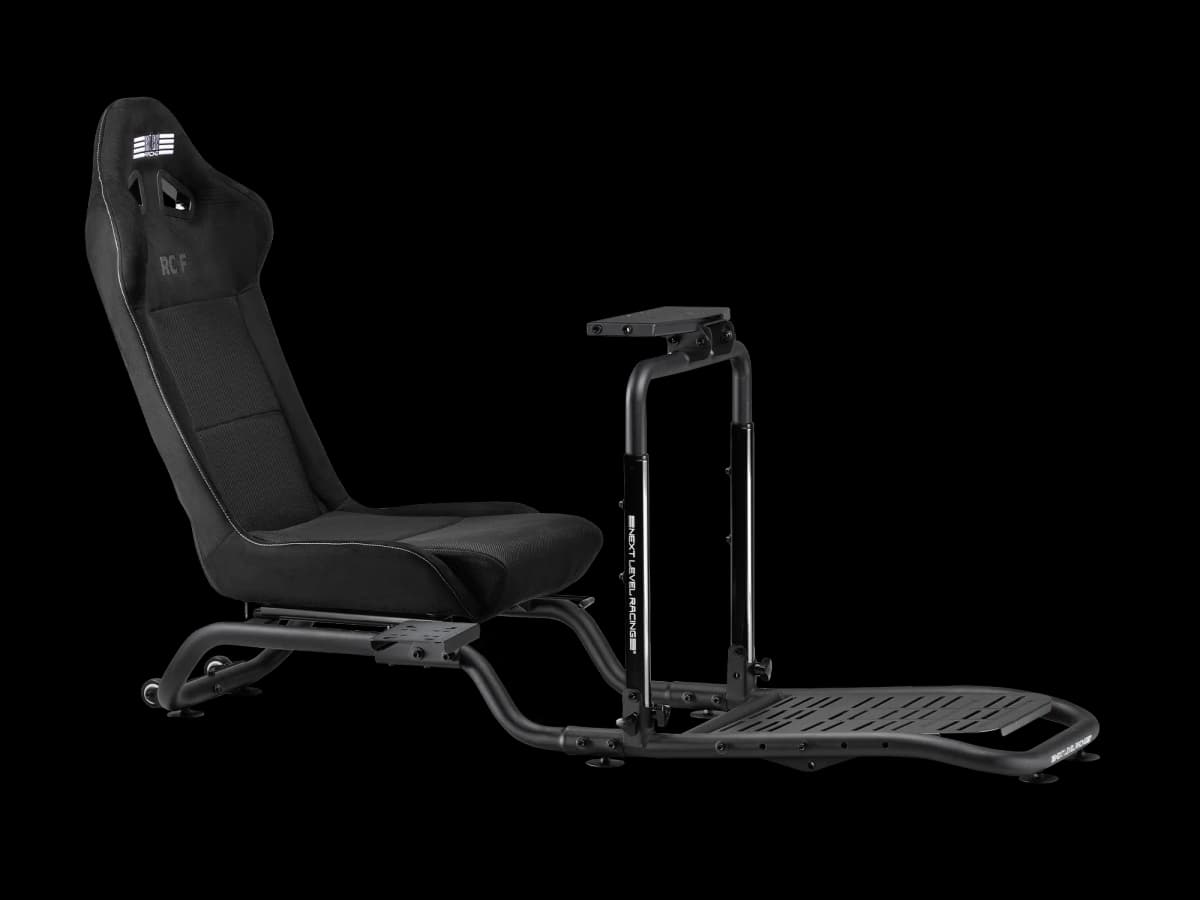
However, we did notice on the Logitech G29 that the steering base is equipped to clamp onto tables. You necessarily don't really need a cockpit but we did run into an issue as the pedals are not secured so it may slide around when you press on them too hard. "Technically" you can get away not using a cockpit or using a more budget friendly cockpit.
If you plan to use the goggle kit, then you are all set to go! Here is a quick roadmap to help visualize how it is setup:

FPV Goggle SIM Cost Breakdown (excluding RC car)
| YoHD Micro FPV Kit | $249.99 |
| SIM 2 RC Module | $150.00 |
| G29 Steering/Pedal | $160.00 |
| MT12 Radio Controller | $139.99 |
| NLR GTLITE Air | $179.00 |
Total: $878.98
If you plan to use a monitor, the roadmap will look like this: (Excluding RC Car and Monitor)

FPV Monitor SIM Cost Breakdown (excluding RC Car and Monitor)
| YoHD Micro Monitor Adapter Kit | $219.99 |
| SIM 2 RC Module | $150.00 |
| G29 Steering/Pedal | $160.00 |
| MT12 Radio Controller | $139.99 |
| NLR GTLITE Air | $179.00 |
Total: $848.98
